

File size: 1,306 Bytes
753f7c6 c06aa21 753f7c6 c06aa21 | 1 2 3 4 5 6 7 8 9 10 11 12 13 14 15 16 17 18 19 20 21 22 23 24 25 26 27 28 29 30 31 32 33 34 35 | ---
pipeline_tag: text-to-video
license: other
license_link: LICENSE
---
# TrackDiffusion Model Card
<!-- Provide a quick summary of what the model is/does. -->
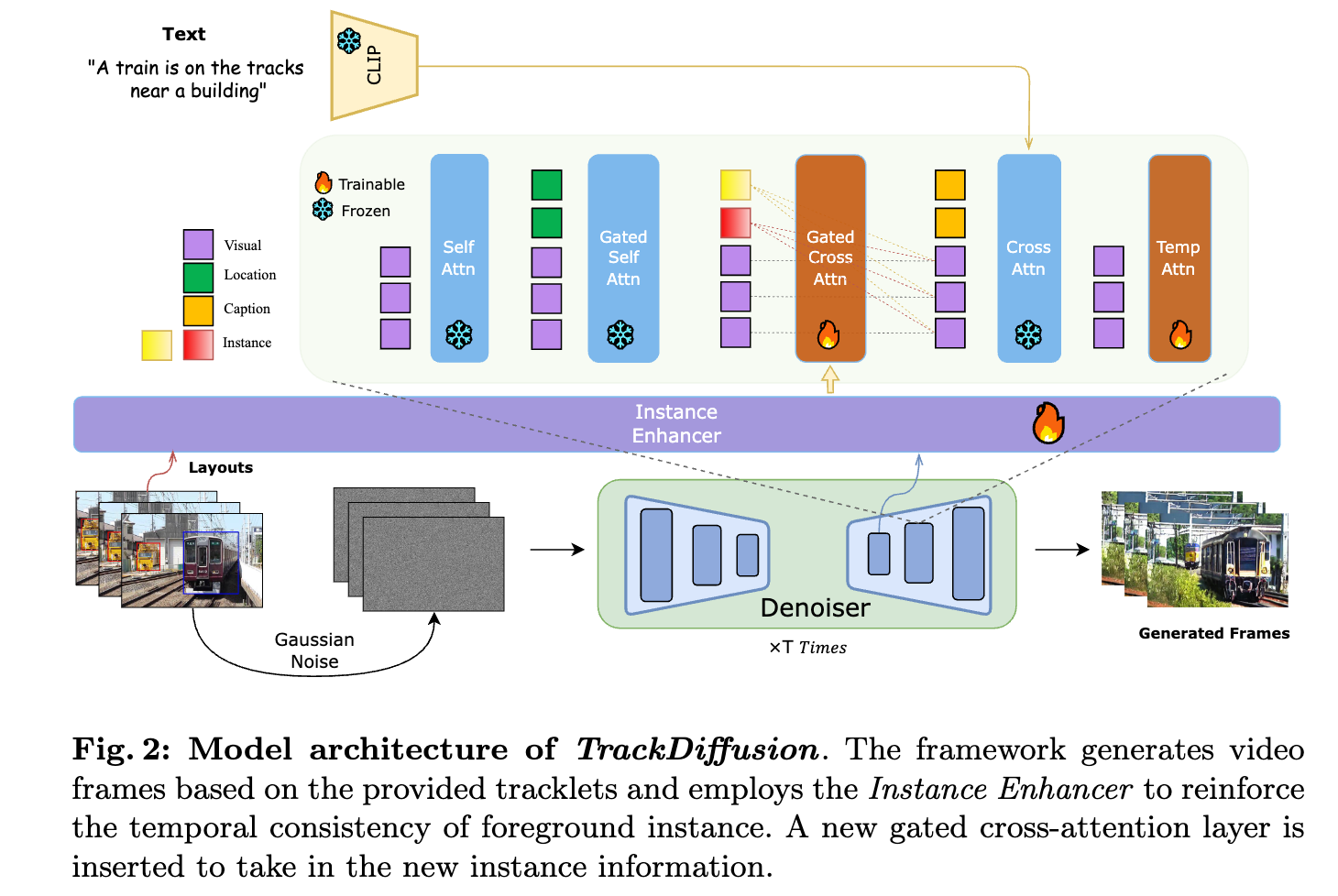
TrackDiffusion is a diffusion model that takes in tracklets as conditions, and generates a video from it.
## Model Details
### Model Description
TrackDiffusion is a novel video generation framework that enables fine-grained control over complex dynamics in video synthesis by conditioning the generation process on object trajectories.
This approach allows for precise manipulation of object trajectories and interactions, addressing the challenges of managing appearance, disappearance, scale changes, and ensuring consistency across frames.
## Uses
### Direct Use
We provide the weights for the entire unet, so you can replace it in diffusers pipeline, for example:
```python
pretrained_model_path = "stabilityai/stable-video-diffusion-img2vid"
unet = UNetSpatioTemporalConditionModel.from_pretrained("/path/to/unet", torch_dtype=torch.float16,)
pipe = StableVideoDiffusionPipeline.from_pretrained(
pretrained_model_path,
unet=unet,
torch_dtype=torch.float16,
variant="fp16",
low_cpu_mem_usage=True)
```
|