Instructions to use MrBlackSheep/Dark_Age with libraries, inference providers, notebooks, and local apps. Follow these links to get started.
- Libraries
- Diffusers
How to use MrBlackSheep/Dark_Age with Diffusers:
pip install -U diffusers transformers accelerate
import torch from diffusers import DiffusionPipeline # switch to "mps" for apple devices pipe = DiffusionPipeline.from_pretrained("MrBlackSheep/Dark_Age", dtype=torch.bfloat16, device_map="cuda") prompt = "Astronaut in a jungle, cold color palette, muted colors, detailed, 8k" image = pipe(prompt).images[0] - Notebooks
- Google Colab
- Kaggle
- Local Apps
- Draw Things
- DiffusionBee
Model Description
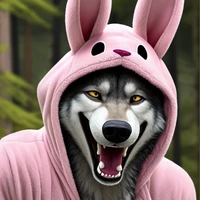
Semi realistic SD Checkpoint, Focusing to create dark images and themes, makes dark images automaticly.
(includes full version, pruned version and inpaintinting model, also preview images for each of them)
- Developed by: MrBlackSheep
- Model type: Checkpoint (3 ones, pruned, full & inpainting)
- License: creativeml-openrail-m
- Downloads last month
- 19


